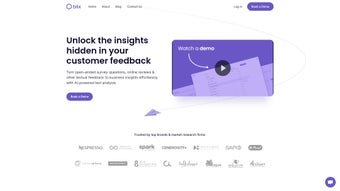

Download Blix – AI‑Powered Text Analysis Tool for Surveys, Reviews & Feedback
Overview
Blix is an advanced AI‑driven text analysis platform built specifically for market researchers, customer‑insight teams, and anyone who needs to turn unstructured written data into clear, actionable intelligence. In today’s data‑rich environment, organizations receive mountains of open‑ended survey responses, online reviews, and free‑form comments that are difficult to quantify. Blix tackles this challenge by automatically coding raw text into structured datasets, surfacing dominant topics, sentiment trends, and emerging themes with just a few clicks.
Its core promise is speed and accuracy: what once required days of manual coding can now be completed in minutes, allowing professionals to focus on strategy rather than data wrangling. The tool supports seamless data import from Excel, CSV, and SPSS, offers a multilingual engine that works out‑of‑the‑box for global projects, and delivers secure, encrypted processing inside a closed enterprise environment. Whether you are a small research boutique or a Fortune‑500 analytics department, Blix provides a scalable, secure, and user‑friendly solution to extract meaning from text, generate comprehensive reports, and drive data‑backed decisions faster than ever before.
Beyond the core functionality, Blix also integrates with popular BI tools, enabling analysts to embed insights directly into dashboards for real‑time monitoring. Its continuous‑learning AI model improves over time, meaning that the more you use the platform, the smarter it becomes at recognizing domain‑specific terminology and nuanced sentiment. In short, Blix is not just a text‑analysis engine; it is a full‑stack insight accelerator that transforms raw feedback into strategic assets across any industry.
Key Features & Capabilities
- Automatic Topic Discovery: Blix’s AI engine scans every response to identify recurring themes, clusters similar ideas, and ranks topics by relevance, eliminating the guesswork of manual coding.
- Multilingual Support: Built‑in language detection and processing for over 30 languages, enabling global teams to analyze feedback without extra translation steps.
- Seamless Data Import: Directly upload Excel, CSV, or SPSS files; the platform auto‑maps columns and prepares data for instant analysis.
- Dynamic Dashboard: Real‑time visualizations, word clouds, sentiment heat maps, and trend graphs that refresh as new data is added.
- Customizable Reporting: Generate executive‑ready PDFs, PowerPoint decks, or interactive web reports with one click, complete with charts, tables, and narrative summaries.
- Secure Enterprise Environment: End‑to‑end encryption, role‑based access controls, and compliance with GDPR, CCPA, and ISO‑27001 standards.
- API & Integration: RESTful API for connecting Blix with CRM, data warehouses, or BI tools, ensuring a smooth workflow across platforms.
- Continuous Learning: The AI model refines its coding accuracy over time by learning from user corrections and feedback loops.
Beyond the bullet‑point list, Blix’s architecture is designed for scalability. The cloud‑native infrastructure can handle datasets ranging from a few hundred responses to millions of comments without performance degradation. The platform also offers batch processing for large‑scale projects, letting analysts schedule overnight jobs and receive notifications when results are ready.
For teams that value collaboration, Blix includes shared workspaces, comment threads on specific topics, and version control for report drafts. The AI‑driven insights are complemented by a suite of statistical tools that allow users to perform cross‑tabulation, chi‑square testing, and regression analysis directly within the environment, bridging the gap between qualitative and quantitative research. Moreover, the solution provides an extensive library of pre‑built templates tailored to common research scenarios such as Net Promoter Score (NPS) analysis, product satisfaction studies, and employee engagement surveys.
These templates accelerate the time‑to‑insight and ensure consistency across multiple projects and analysts. Together, the combination of automation, visual insight, and strict security makes Blix a compelling choice for organizations that need fast, reliable, and compliant text analysis.
Installation, Usage & Compatibility
Getting Started – Download & Install
Blix is delivered as a web‑based SaaS solution, which means there is no traditional software installation on your local machine. To begin, visit the official Blix website, click the Download Free Trial button, and fill out a short registration form. After verification, you will receive a secure link to create your account.
For organizations that prefer an on‑premise deployment, Blix offers a Docker‑based container that can be installed on private servers. The container image is available from the Blix Docker Hub repository, and the setup guide walks you through pulling the image, configuring environment variables (including license keys and database connections), and launching the service with a single docker compose up command. Detailed step‑by‑step videos accompany the documentation, making the process approachable even for teams without deep DevOps expertise.
Step‑by‑Step Usage Workflow
Once logged in, the intuitive onboarding wizard guides you through the following steps:
- Data Upload: Drag‑and‑drop your Excel, CSV, or SPSS file onto the upload pane. Blix automatically detects column headers, prompts you to select the text column(s), and validates data quality.
- Language Settings: If your dataset contains multiple languages, enable the “Auto‑Detect Language” toggle. Blix will segment responses by language and apply the appropriate NLP model.
- Analysis Configuration: Choose the depth of analysis – quick scan for high‑level topics, or deep dive for sentiment, emotion, and keyword extraction. You can also upload a custom dictionary to prioritize industry‑specific terminology.
- Run the Engine: Click “Start Analysis”. The AI engine processes the text in the cloud, and you can monitor progress via the real‑time status bar.
- Explore Results: Upon completion, the dashboard presents a summary view with topic clusters, sentiment scores, and a word‑cloud. Drill down into any cluster to see individual responses, export raw coded data, or refine the model by marking mis‑classifications.
- Report Generation: Use the “Create Report” wizard to select templates, add branding, and export the final document in PDF, PPTX, or HTML format.
Compatibility & System Requirements
Because Blix runs primarily in the browser, it is compatible with all modern operating systems: Windows 10/11, macOS 12+, Linux distributions with recent browsers, as well as mobile platforms (iOS 14+, Android 9+). For on‑premise deployments, the Docker container supports any OS that can run Docker Engine (Windows Server, Ubuntu 20.04+, Red Hat Enterprise Linux 8+). Minimum hardware requirements for the container are 4 CPU cores, 8 GB RAM, and 20 GB of SSD storage. The SaaS version only requires a stable internet connection and a modern browser such as Chrome, Edge, Firefox, or Safari. All data transmitted between client and server is encrypted via TLS 1.3, and at rest encryption uses AES‑256.
The seamless cross‑platform experience ensures that teams can collaborate from any device, whether they are analyzing data in a corporate office, a remote home office, or on the go. Moreover, Blix’s API can be called from Python, R, or JavaScript environments, making it easy to embed text‑analysis capabilities into existing analytical pipelines. For users with strict data‑ residency requirements, the platform offers regional cloud zones (US‑East, EU‑West, APAC) so that data never leaves the designated geography.
Pros & Cons – Balanced Evaluation
Pros
- Fast, AI‑driven topic discovery reduces manual coding time by up to 90%.
- Supports over 30 languages out‑of‑the‑box, ideal for global research projects.
- Secure, encrypted environment complies with major data‑privacy regulations.
- Intuitive dashboard with real‑time visualizations accelerates insight generation.
- Flexible deployment options – SaaS for quick start or Docker container for on‑premise control.
- Robust API enables integration with CRM, data warehouses, and BI tools.
- Custom dictionary and continuous learning improve accuracy over time.
- Professional report templates streamline the delivery of findings to stakeholders.
- Batch processing and scheduling features support large‑scale, automated workflows.
- Extensive documentation, webinars, and a community forum reduce the learning curve.
Cons
- Pricing tiers may be steep for very small teams or freelancers.
- Advanced customization (e.g., custom machine‑learning models) requires technical expertise.
- On‑premise Docker deployment adds a layer of infrastructure management.
- Limited offline functionality – core processing relies on cloud resources.
- Learning curve for users unfamiliar with NLP concepts, though tutorials are available.
- Large datasets can incur higher cloud compute costs if not managed with batch jobs.
Overall, the strengths of Blix far outweigh its drawbacks for most professional research environments. The platform’s speed, multilingual capability, and security posture make it a top contender for enterprises that need reliable, scalable text analysis. Organizations with tight budgets or purely offline needs should weigh the cost and infrastructure considerations against the productivity gains. For teams that value rapid insight delivery, collaborative reporting, and the ability to integrate text analytics into broader data ecosystems, Blix represents a solid investment that pays for itself through time saved and deeper, data‑driven decisions.
FAQ & Conclusion
What types of text data can Blix analyze?
Blix can process open‑ended survey responses, product reviews, social media comments, support tickets, interview transcripts, and any other free‑form textual feedback. The platform accepts Excel, CSV, and SPSS files, and for API users, raw JSON payloads are also supported.
Is Blix compliant with GDPR and other privacy regulations?
Yes. Blix employs end‑to‑end encryption, role‑based access controls, and data residency options. It meets GDPR, CCPA, ISO‑27001, and SOC 2 requirements, making it suitable for handling personally identifiable information (PII).
Can I try Blix before purchasing a license?
A free 14‑day trial is available on the Blix website. The trial provides full access to all core features, allowing you to upload up to 5 GB of data and generate unlimited reports.
How does Blix handle multilingual datasets?
Blix’s language detection engine automatically identifies the language of each response and routes it to the appropriate NLP model. Users can enable or disable auto‑detect, and they may also upload language‑specific stop‑word lists or custom dictionaries.
What support options are available for enterprise customers?
Enterprise clients receive 24/7 priority support, a dedicated account manager, SLA‑backed response times, and optional on‑site training sessions. Additionally, Blix provides comprehensive documentation, webinars, and a community forum.
Final Verdict – Why You Should Download Blix Today
In a world where textual feedback is a goldmine of strategic insight, having a tool that can quickly transform raw comments into structured, actionable data is no longer a luxury—it’s a necessity. Blix delivers on this promise with a blend of powerful AI, user‑centric design, and enterprise‑grade security. Its ability to auto‑code, discover topics, and generate polished reports in minutes means research teams can accelerate project timelines, reduce costs, and focus on interpreting insights rather than wrestling with data preparation.
The multilingual capability expands its reach to global markets, while the flexible deployment models cater to both cloud‑first organizations and those bound by strict on‑premise policies. Although the price point may be a consideration for very small teams, the productivity gains and risk mitigation offered by Blix typically justify the investment for most professional environments. If you are ready to modernize your text‑analysis workflow, improve data accuracy, and deliver insights faster, download Blix now and experience the future of qualitative analytics.
Overall Rating: 4.5/5



.png)



